
AI-Powered 3D Asset Generator for Game Developers
AI 3D asset generation for games: create game-ready models from text or a 2D image, then auto-rig and animate them - GLB export with PBR textures, polycount control, no modeling skills required.
What is an AI 3D Model Generator?
An AI 3D model generator turns a text prompt, a 2D image, or an existing model into a game-ready 3D asset - so yes, AI can make usable 3D models for games, with no modeling skills required. Ludo's 3D asset generator outputs a textured GLB with PBR materials and exports to STL, PLY, OBJ, and OFF. You control polygon count and texture resolution, can re-texture or optimize any mesh, and can auto-rig any model - generated in Ludo or uploaded - with a skeleton in about a minute, then animate it from 280+ preset motions or a text prompt, with the rig and any saved animations exported together in the GLB.
How It Works
Generate the Model
Write a text prompt or upload a 2D reference image, and the AI builds a textured 3D mesh you preview instantly in an interactive viewer.
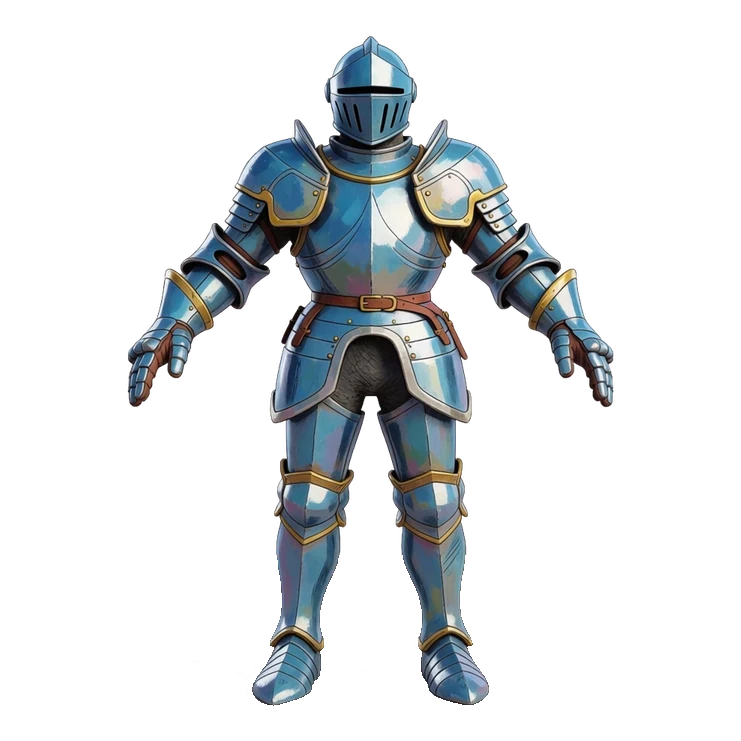
Optimize and Export
Set max triangle count and texture resolution, optimize the mesh, then download as GLB with PBR textures or as OBJ, STL, PLY, or OFF.
Rig and Animate
Add a skeleton in about a minute, animate it with ready-made presets or a text prompt, and download the rigged GLB with your saved clips.
Ready to Drop into Your Engine
Characters, mounts, props, and buildings with PBR textures, GLTF export, and retopology baked in. Mesh complexity that suits your needs - from 1k to 200k triangles, you choose. Generated from text or a single image - drop straight into Unity, Unreal, or Godot.
From Static Mesh to Game-Ready Skeleton
Ludo's auto-rigging adds a skeleton to any 3D model - generated in Ludo or uploaded - in about a minute. Show the skeleton in the viewer, drag joints to check how the mesh deforms, and export the model and its rig together as a GLB.
Once a model is rigged you can animate it two ways - apply a ready-made motion from the preset library (idles, runs, combat moves, emotes and hundreds more) or describe a custom one with a text prompt like "waving hello". Preview the takes on your model and save the ones you like into the download.
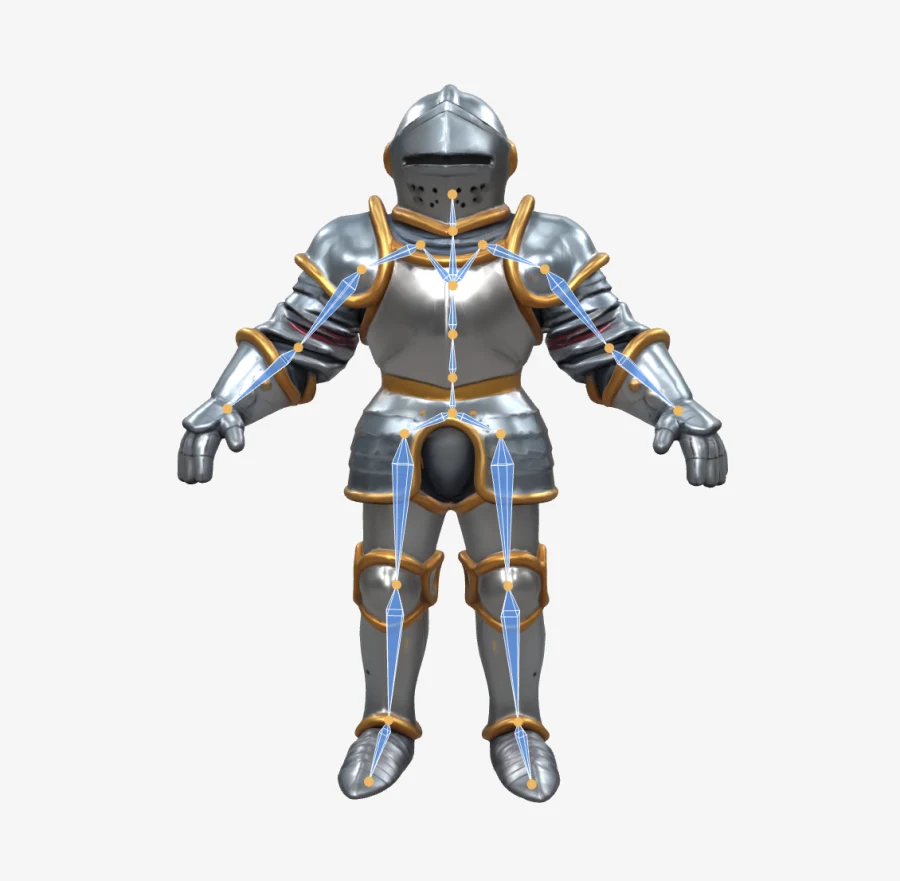
Animate It with Ready-Made Presets
Rig a humanoid once and animate it straight from a library of 280+ preset motions across 20 categories - locomotion, idles, melee and ranged combat, spellcasting, emotes, dances. One knight, four presets, zero keyframes. Every animation you save ships inside the GLB download as a named track.
API & MCP Integration
Connect Ludo's generative AI to Claude, Cursor, or your own apps. Automate asset creation and streamline your game development pipeline.
Images & Animation
Generate sprites, icons, UI assets, textures, and backgrounds. Create spritesheet animations from your art.
Video & 3D
Generate videos from images with motion prompts. Convert 2D art into textured 3D models.
Audio
Create sound effects, music tracks, and character voices. Clone voices for text-to-speech.
FAQ
What is the Ludo 3D Asset Generator?
It's an AI tool that creates game-ready 3D models from a text description, a 2D image, or an existing model. It supports three modes - Text-to-3D, Image-to-3D, and Texture Generation - so you can generate, convert, or re-texture assets without any 3D modeling experience.
Can I turn a 2D image into a 3D model?
Yes. The Image-to-3D mode converts a single 2D image - concept art, a character sprite, a sketch, or a photo - into a textured 3D model of that character or prop. You can also start purely from a text prompt with Text-to-3D, or describe the texture you want for an existing mesh.
What file formats can I export 3D models in?
You can download models as GLB (which includes the textures), or as OBJ, STL, PLY, and OFF (geometry only, without textures). GLB is the recommended format for dropping a fully textured asset into a game engine.
What 3D file formats can I upload to re-texture?
For the Texture Generation mode you can upload your own model in OBJ, PLY, STL, OFF, GLTF, GLB, FBX, 3DS, DAE, CTM, or X3D format, up to 20 MB. The file should contain only the subject you want to texture.
Can I control the polygon count and texture quality?
Yes. Advanced settings let you set a max triangle count from 1,000 up to 200,000 (default 50,000) and an adaptive decimation level that simplifies the mesh without losing detail. You can also choose a texture resolution of 1024 or 2048, and a texture type of PBR, Color, or None.
Can I optimize or re-texture a model I already generated?
Yes. The Optimize Model tool re-topologizes a mesh to your target triangle count and texture resolution for better in-engine performance, and Re-texture generates fresh AI textures for a model you generated in Ludo or uploaded yourself.
Is the 3D generator available through an API or MCP?
Yes. The create3DModel tool is available through the Ludo API and the Ludo MCP server, converting a 2D image into a GLB model with PBR textures. It returns a model URL plus snapshot images, costs 3 credits per model, and typically completes in 60-120 seconds.
Do I need 3D modeling experience to use it?
No. The generator handles meshing, texturing, and optimization automatically from your prompt or image. You preview the result in an interactive 3D viewer and export a ready-to-use file, with no sculpting, retopology, or UV-mapping skills required.
Can Ludo automatically rig my 3D model?
Yes. Use the Rigging tab in the 3D Asset Generator, or hit Rig on any generated model card. It works on models you generated in Ludo and on meshes you upload yourself (OBJ, PLY, STL, OFF, GLTF, GLB, FBX, 3DS, DAE, CTM, or X3D, up to 20 MB). There's no T-pose requirement and it isn't limited to humanoids, and rigging takes about a minute. Re-rigging saves a fresh variant, so your original model is never lost.
Can I animate a rigged model?
Yes, two ways. From Preset applies a ready-made animation from a library of 280+ motions - locomotion, idles, melee and ranged combat, spellcasting, emotes, dances and more - to any model rigged with the Humanoid rig type. From Prompt generates motion from a short text description like "waving hello". Either way you preview the result on your model, and every animation you save is included in the download as a named animation track.
Which export format keeps the skeleton and animations?
GLB. The GLB download includes textures, rigging, and any animations you saved. STL, PLY, OBJ, and OFF export the static mesh only, without textures or a skeleton.
Will the models work in Unity, Godot, and Blender?
Yes - the GLB you download is a standard glTF binary with textures, the skeleton, and your saved animations in one file. Godot and Blender import GLB natively, and Unity imports it through the official glTFast package. If you only need the static mesh, OBJ and STL exports work everywhere 3D software runs.
What bone naming convention does the rig use?
Auto-rigged skeletons use SMPL joint names by default. Through the Ludo API and MCP server, the rig endpoint's joint_naming option relabels the same skeleton to match the convention your pipeline expects: Mixamo (Unity's humanoid auto-mapper), HumanIK (Maya, MotionBuilder, FBX pipelines), Unreal (the UE mannequin), Godot (SkeletonProfileHumanoid), Rigify (Blender), or VRoid (VRM). Only the names change - the skeleton is identical - so humanoid retargeting tools can map your character automatically.
What makes a model "game-ready"?
Game-ready means you can drop it into an engine without a cleanup pass: a single GLB with PBR textures, a polygon count you chose, and - if you rigged it - a named skeleton and animation tracks. Ludo gives you control at each step: set the polycount and texture resolution at generation time, run Re-topology to optimize a mesh that came out heavy, re-texture without regenerating geometry, and add the rig only when a model actually needs to move.