

AI Game Sound Effects & Music Generator
Generate custom sound effects, music, character voices, and seamless audio loops for your game. Describe the sound you need and download a studio-quality asset in minutes - no recording equipment, no stock-library hunting.
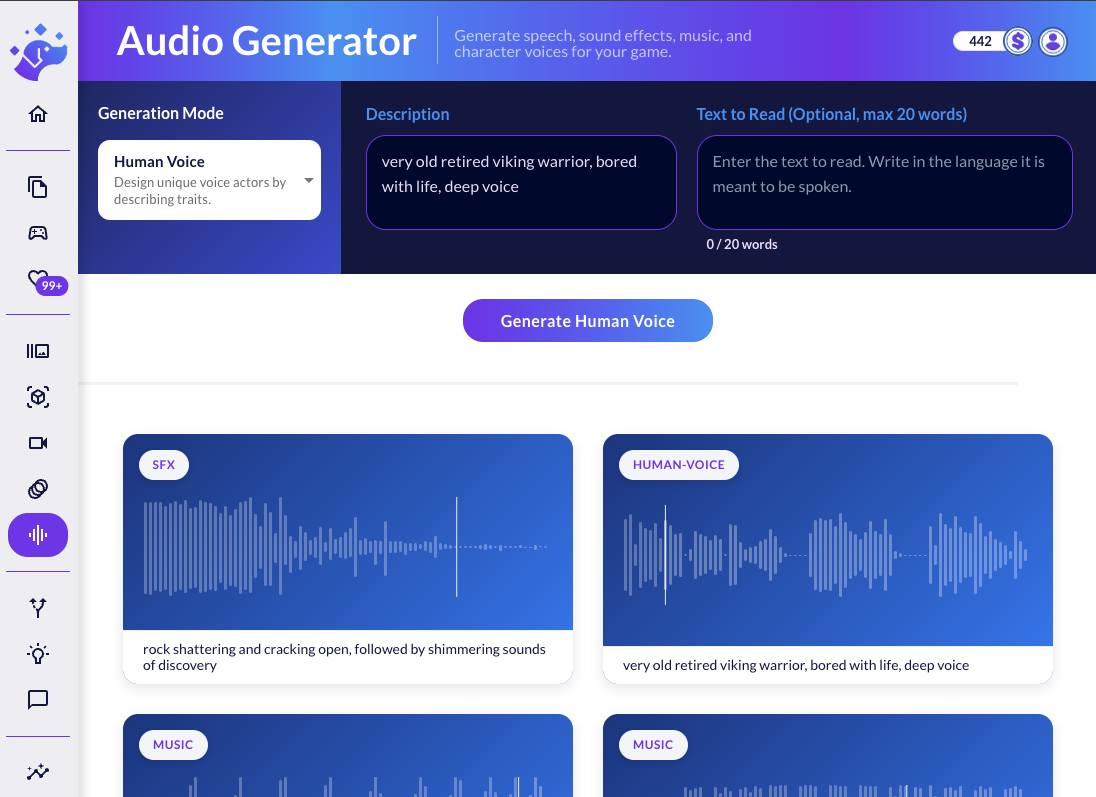
What is an AI audio generator for games?
An AI audio generator turns a text description into ready-to-use game audio. Ludo generates sound effects, looping music and ambiances, and character voices - human or non-human - plus narrated speech from preset or cloned voices. Describe the sound you need and download an MP3 asset in minutes, with no recording gear, voice actors, or stock-library hunting.
How It Works
Pick a mode and describe the sound
Choose sound effects, music, ambiance, a character voice, or text-to-speech, then write a plain-text description, dialogue line, or set of lyrics. Music tracks can include your own lyrics, and voices can be human or non-human.
Generate and refine
The AI synthesizes the asset from your prompt. Tune the result by adjusting the description and duration, cloning a voice you like for consistent dialogue, or remixing an existing track with a transform prompt.
Preview and download
Listen to the preview and download the finished MP3, ready to drop into Unity, Godot, or any game engine. Sound effects and ambiances can be generated as seamless loops.
Hear What You Can Generate
API & MCP Integration
Connect Ludo's generative AI to Claude, Cursor, or your own apps. Automate asset creation and streamline your game development pipeline.
Images & Animation
Generate sprites, icons, UI assets, textures, and backgrounds. Create spritesheet animations from your art.
Video & 3D
Generate videos from images with motion prompts. Convert 2D art into textured 3D models.
Audio
Create sound effects, music tracks, and character voices. Clone voices for text-to-speech.
FAQ
What kinds of game audio can I generate?
The Audio Generator covers the full soundscape of a game: sound effects (combat, UI, movement, magic), music in any genre or mood, character voices (human and non-human), narrated speech, and seamless looping ambiances for your levels. Each mode is driven by a simple text description.
Can the music include vocals or my own lyrics?
Yes. You can generate instrumental tracks in any genre, or bring your own lyrics and have the AI compose a full track with vocals around them.
Can I create looping sound effects and ambiance tracks?
Yes. Both ambiance soundscapes (forests, cities, underwater levels) and sound effects (footsteps, crackling fire, magical incantations) can be generated as seamless loops, ready to attach to levels or sprites in your engine.
How do I keep a character's voice consistent across many lines?
Design a voice once by describing the persona - or generate one you like - then clone it to produce any number of new dialogue lines with the same voice. This works for human characters as well as monsters, robots, and other non-human voices.
What audio format do I get and how long can clips be?
Generated audio downloads as MP3. Sound effects run up to about 10 seconds, music and ambiance durations are chosen automatically or set manually, and audio remixes can run from 10 up to 180 seconds. Everything is ready to import directly into your game engine.
Can I generate speech in different languages and emotions?
Yes. The preset voices turn text into speech with control over emotion (happy, sad, angry, fearful, surprised, neutral) and a range of languages including English, Spanish, French, German, Japanese, and Korean. You can also clone a voice from your own audio sample for fully custom narration.
Can I remix or restyle audio I already have?
Yes. With audio transform, upload an existing track and guide it with a text prompt - for example "make it sound like an 80s synthwave track" - controlling how strongly the original is modified. It's a fast way to restyle music or create variations of a theme.
Can I generate audio through an API or MCP?
Yes. Every audio mode - sound effects, ambiance, music, voices, speech, and audio transform - is available through the Ludo API and the Ludo MCP server, so you can generate game audio programmatically or directly from AI coding tools like Claude.