

Gameplay & ideation
Visualize a mechanic before you build it - feel out pace, camera, and atmosphere in seconds, straight from a generated screenshot.
Top-down action RPG
Go from a simple text prompt or static image to a short, animated video with sound in seconds.
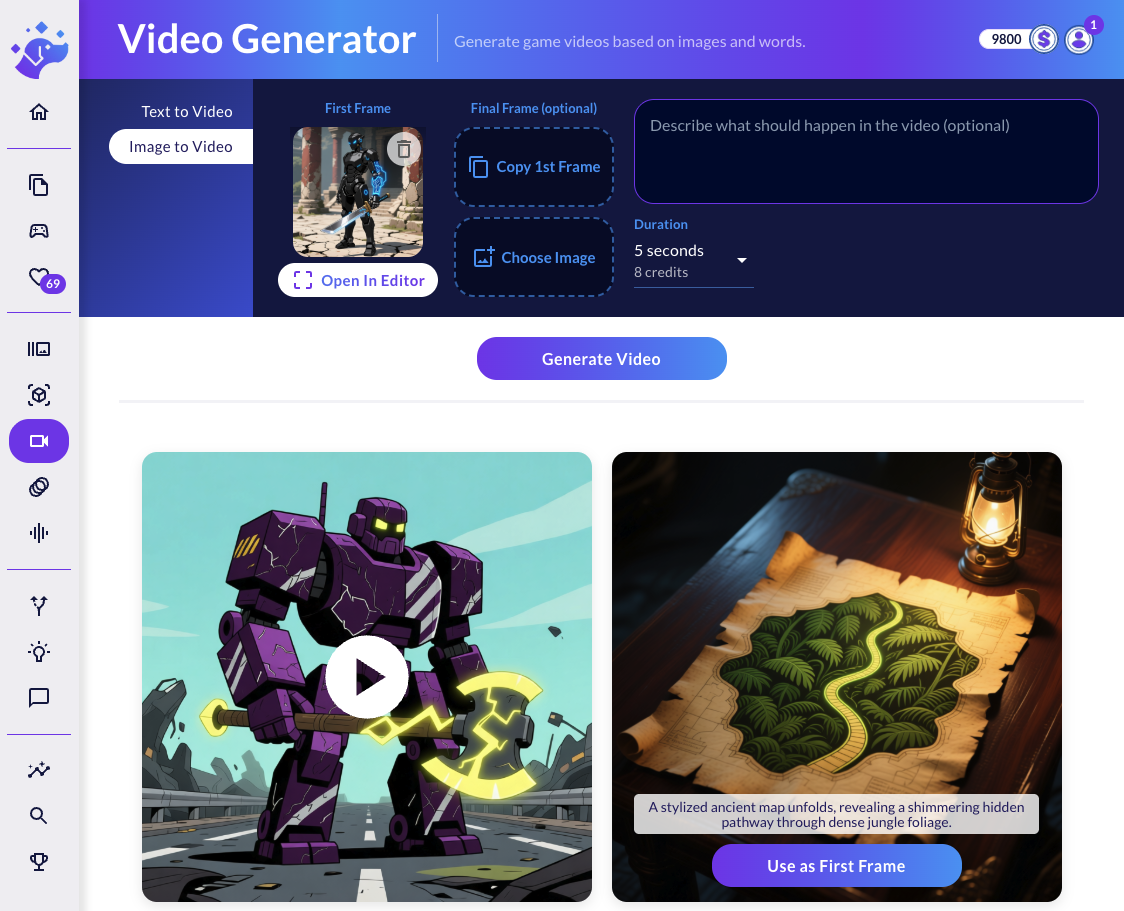
An AI video generator turns a text prompt or a static image into a short, animated MP4 clip. Ludo's Video Generator animates your starting image with a motion prompt, can interpolate to a custom end frame, and produces clips up to 15 seconds across multiple models. You can then layer AI-generated sound effects or music to finish the scene.
Use Text to Video to generate a clip from a prompt, or Image to Video to animate an existing picture - and refine that starting frame in the built-in image editor first.
Write a motion prompt like "camera slowly zooms in" or "character waves", optionally set a custom final frame to control how the clip ends, and the AI generates the animation.
Generate matching sound effects or music for the clip, then download the finished MP4 video.
Visualize a mechanic before you build it - feel out pace, camera, and atmosphere in seconds, straight from a generated screenshot.
Cinematic intros, story cutscenes, and high-energy trailer beats - straight from a single image or prompt.
Bring still character art to life - subtle breathing, hair, glow, eye movement - perfect for dialogue scenes.
Connect Ludo's generative AI to Claude, Cursor, or your own apps. Automate asset creation and streamline your game development pipeline.
Generate sprites, icons, UI assets, textures, and backgrounds. Create spritesheet animations from your art.
Generate videos from images with motion prompts. Convert 2D art into textured 3D models.
Create sound effects, music tracks, and character voices. Clone voices for text-to-speech.
Two modes. Text to Video generates a clip from a written prompt alone, while Image to Video animates a source image (uploaded or generated in Ludo) guided by a motion prompt describing the action or camera movement. You can also set a custom final frame so the AI interpolates between your start and end images.
Clips are short and the available durations depend on the model. The Blitz model supports 2 to 12 seconds, while the Eagle models go from 1 up to 15 seconds. You pick the exact duration before generating.
Videos are produced as standard MP4 files that you can download and drop straight into trailers, social posts, or prototypes. Each result returns a video URL and its duration in seconds.
Yes. After generating a clip you can create AI sound effects or music that match the video from a text prompt. One model, Eagle with Audio, generates video with a native audio track directly.
Ludo offers several video models with different trade-offs: Blitz (Seedance 1 Pro) favors motion stability, Eagle (Pixverse 6) favors visual quality, Eagle with Audio adds a native audio track, and Chaos (Seedance 1.5) is a lower-cost option. Each model exposes its own set of valid durations.
The generator is built for game creators: visualize gameplay concepts, animate characters and scenes, produce dynamic marketing content and trailers, or quickly prototype motion ideas from a single image or prompt.
Video is priced per second and varies by model - roughly 1 credit per second on the standard Blitz model, with higher-quality and audio-enabled models costing more per second. You are billed for the actual produced duration, never more than the duration you requested.
Yes. Video generation is exposed through the Ludo public API and the MCP server via the createVideo tool (with getVideoResults to retrieve results later). This lets you generate clips programmatically from an image and motion prompt inside automated or AI workflows.